




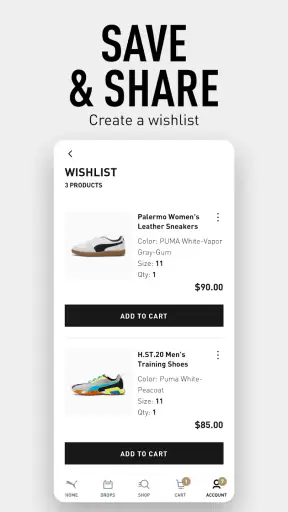
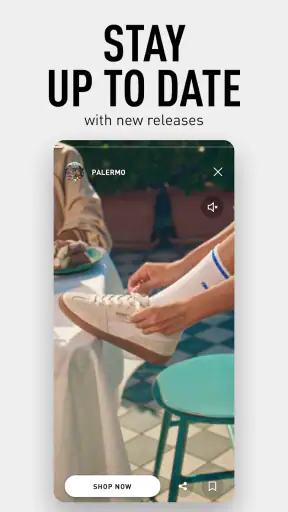
I use many shopping apps as quick catalogs, but PUMA | Clothes & Shoes feels more useful when I treat it as a focused way to browse the brand’s current sportswear and footwear collection. Its main strength is not turning shopping into an event; it is helping me move from “I want something for training or everyday wear” to a more deliberate look at PUMA’s available styles. That narrower purpose makes it easy to understand, especially if I already know I want PUMA rather than a marketplace full of unrelated brands.
Developed by PUMA SE, this free shopping app is aimed at everyone and runs on Android 7.0 or later. It has reached more than five million installs, with an average score of 4.9 from roughly 181 thousand ratings and about 3.7 thousand written reviews. Those figures suggest that the app has found a large audience, although I still think the right question is whether its brand-first approach matches the way you shop.
Why the focused PUMA shopping experience matters
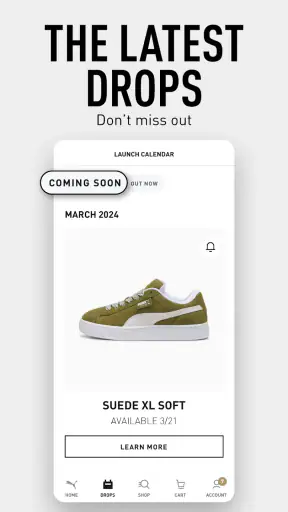
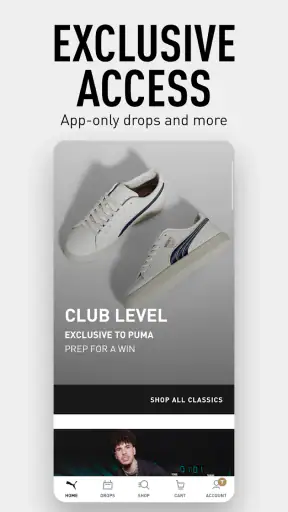
The capability I found most valuable is the direct access to new sports apparel and shoe styles without the distraction of a general shopping platform. The app’s emphasis on what is new and on exclusive shoe styles gives browsing a clear direction. Instead of beginning with a broad search for “running shoes” or “hoodie” across many sellers, I begin inside one brand’s visual world and decide whether the current collection fits my needs.
That distinction matters more than it may seem. On a general marketplace, I often compare dozens of labels before I have even decided what kind of design or brand identity I prefer. Here, the decision is different: I am evaluating PUMA’s available clothing and shoes, not searching the whole internet. For someone who already likes the brand’s look, that removes a layer of noise.
I also like that the app can serve two different shopping moods. When I am browsing casually, the focus on newer styles makes discovery straightforward. When I have a specific purpose, such as replacing worn trainers or finding sports clothing, I can use the brand’s catalog as a starting point rather than scrolling through unrelated products. The real benefit is reduced choice overload, not simply having another place to buy clothes.
There is a trade-off built into that focus. A dedicated PUMA app cannot replace a multi-brand retailer when I want to compare several manufacturers, look for the lowest available price, or combine products from different labels in one order. I would choose a broader shopping app for that job. PUMA’s app makes more sense when brand consistency is part of the purchase.
What browsing feels like in everyday use
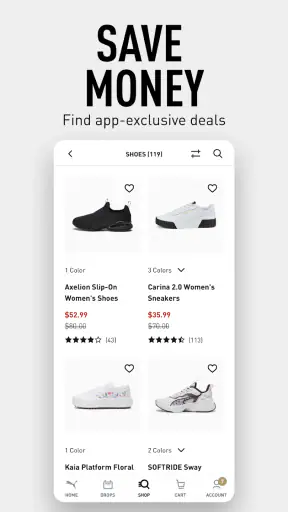
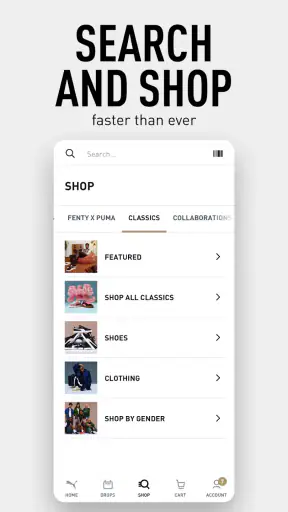
In practice, I approach the app as a visual shortlist rather than a complete equipment adviser. I look through the clothing and footwear styles, pause on items that suit the activity or outfit I have in mind, and then inspect the product presentation before deciding whether to continue. This is particularly comfortable for shoppers who prefer seeing the overall collection first instead of typing a very precise search immediately.
For clothing, that approach helps when I am trying to build a coordinated casual or sports look. A top, pair of bottoms, and shoes can be considered within the same brand context, which is more useful than choosing each item in isolation. It also helps me notice styles I would not have searched for by name. That kind of discovery is one of the reasons to use a brand app instead of going straight to a search engine.
For shoes, I would slow down and treat the app as a research step rather than an automatic recommendation. A product can look right and still be unsuitable for my foot shape, preferred cushioning, or intended activity. I would check the available product information carefully and compare it with what I already know about my own footwear needs. The app can narrow the field, but it cannot replace a realistic understanding of fit.
One useful habit is to separate inspiration from commitment. On a first pass, I look for silhouettes, colors, and the type of product that fits my routine. On a second pass, I examine the details that affect whether I would actually wear it: the intended use, construction, sizing information, and whether the design works with clothes I already own. This prevents the “new collection” feeling from pushing me toward an item that only looks appealing in a promotional setting.
A realistic weekend shopping scenario
Imagine I need a fresh outfit for light training and ordinary weekend use. I do not necessarily want specialized equipment from several brands; I want something that can move between the gym, errands, and a casual day out. I open the app to see what PUMA is currently presenting, start with the shoes, and then use that choice to judge which apparel styles make sense around it.
That order is more practical than choosing a shirt first. Shoes usually have a stronger effect on the whole outfit, and they also have more functional consequences. Once I know whether I prefer a sportier or more understated pair, I can judge the clothing with a clearer idea of the final look. The app’s brand-centered browsing supports that workflow because the items belong to the same design ecosystem.
Before buying, I would check the size information and think about how I expect to use each piece. A soft-looking casual shoe may be suitable for daily wear but not the best choice for a demanding training routine. Likewise, a striking top may work well as a statement piece but be less versatile than a simpler option. The app helps me discover candidates; my routine should decide the final selection.
This is also where the app’s focus on newer styles can be helpful and slightly risky. It is helpful because I can see what feels current without manually searching through an old catalog. It is risky because “new” does not automatically mean “better for me.” I would use the current collection as a filter for attention, not as a reason to ignore comfort, durability, or practical wardrobe needs.
Small decisions that make the app more useful
My first tip is to browse with a specific use case in mind, even if I begin casually. “I need a versatile everyday shoe” produces better decisions than “I want something new.” A simple purpose gives every product a test: would I wear this often, and does it suit the activity I actually do? That keeps the app from becoming an endless stream of attractive but unnecessary options.
My second tip is to compare the product against my existing wardrobe before I become attached to it. PUMA’s visual presentation naturally encourages me to imagine a complete look, but I get more value when I ask whether the item works with at least several things I already own. This is especially important for bold colors or distinctive shoe shapes, where the excitement of browsing may be stronger than the item’s everyday usefulness.
My third tip is to treat footwear as a fit decision first and a style decision second. I would note the type of shoe I need, the activities it must handle, and any fit preferences I already have. Then I would use the app to find styles within those boundaries. That approach is more reliable than selecting the most eye-catching pair and trying to adapt my routine afterward.
A fourth practical habit is to revisit a product after a short pause rather than buying immediately during a browsing session. If I still want it after considering where I would wear it, how often I would use it, and what it replaces, the purchase is more likely to be intentional. This is a general shopping discipline, but the app’s emphasis on fresh styles makes it particularly useful here.
Where the experience has limits
The biggest limitation is the same feature that makes the app appealing: its single-brand scope. If I am comparing PUMA with other sportswear companies, I need another shopping source as well. The app is not the right first stop for a shopper who is primarily motivated by cross-brand price comparison, broad product variety, or finding the cheapest equivalent item.
I would also avoid treating the app as a substitute for trying on clothes or shoes whenever fit is uncertain. A catalog can show design and provide product information, but comfort is personal. This matters especially for shoes, where width, heel feel, flexibility, and support can affect the experience in ways that are difficult to judge from a screen. The app is strongest at discovery and consideration, not at removing every risk from an online purchase.
Another limitation is that a highly visual collection can encourage browsing without a clear stopping point. I can easily move from one style to another, particularly when I am looking at new releases or exclusive-looking footwear. To keep the experience useful, I set a purpose before opening it and decide what would make an item worth buying. Without that boundary, the app can become entertainment rather than efficient shopping.
It is also worth remembering that a high average rating does not mean every shopper will have the same experience. The app is rated 4.9 on average, which is impressive, and the large number of ratings gives that score meaningful context. Still, satisfaction depends on whether I want a direct PUMA experience. Someone looking for a neutral, brand-independent shopping tool may prefer a different category of app even if the PUMA interface itself works smoothly for them.
Who will get the most from it
I would recommend this app most strongly to people who already buy PUMA, want to follow the brand’s latest clothing and footwear, or prefer assembling a sportswear look within one label. It is also a sensible choice for shoppers who dislike the clutter of general marketplaces and want a more concentrated way to explore shoes and apparel.
It can be useful for a gift shopper too, but only when the recipient’s PUMA preference and sizing are reasonably clear. The brand focus makes style discovery easier, yet footwear remains a risky gift if the fit is unknown. For clothing, I would still check the recipient’s usual size and favor versatile designs over highly personal choices.
On the other hand, I would skip it as my main shopping tool if I need technical advice across many brands, want to compare prices everywhere at once, or am searching for second-hand bargains and independent labels. A general retailer or comparison service would better match those goals. The app is not weaker because it lacks that breadth; it is simply designed around a different decision.
The current version is 3.1.1, and the app is free to download, so trying it carries little commitment beyond the time spent browsing. Its Everyone content rating also makes it approachable for a broad audience. I would still judge it by the quality of the shopping process rather than by the low barrier to installation: the important question is whether PUMA’s collection is where I genuinely want to shop.
My recommendation after using it
My overall view is positive because the app understands its role. It is a focused window into PUMA’s sports apparel and shoe range, with particular value for discovering current styles and keeping a purchase within one brand. I find it more useful when I enter with a real need—new everyday trainers, a coordinated training outfit, or a seasonal wardrobe update—than when I expect it to solve every shopping problem.
The best way to use it is deliberately: browse the newer styles for ideas, narrow the choices according to your activity and wardrobe, then make fit and practicality the final tests. That workflow takes advantage of the app’s strongest capability without letting visual novelty make the decision for you.
If PUMA is already one of the brands you trust, this is a worthwhile shopping companion; if your priority is broad comparison, another shopping route will serve you better. I would keep it installed for focused browsing and brand-led purchases, while using a multi-brand alternative whenever I need a wider market view.


